A better wishlist starts with a single save.Free updates Explore what’s new

Free and Pro at a glance

Free includes shopper wishlists, saving, sharing, chosen variations and basic styling. Pro adds the merchant interface for browsing individual customer wishlists and their products. Aggregate totals remain Free. Existing wishlists and private notes are preserved. Previously activated local Pro features continue after subscription expiry under the existing licence terms.

WishlistGeniusExplore Pro

WishlistGenius Pro for WooCommerce

Give interested shoppers a reason to return.

Let shoppers request restock alerts, price updates and wishlist reminders. See which products they save, and what later gets purchased.

Pro is available through annual plans, with protected downloads in your account.

Three reasons to consider Pro

Make the next step useful.

Start with what your store needs. These examples show the idea; they are not live store data or delivery results.

A timely reason to return.

Let interested shoppers request updates when a saved product is back in stock or its price drops.

Useful when your saved products sell out or change price.

See an example restock alert

Example data · illustrative message

YOUR STORE · PRODUCT UPDATE

The ceramic mug is back.

You asked us to let you know when this saved product became available again.

Ceramic mugAvailable again

Return to your wishlist

You can stop these alerts at any time.

An example of the message purpose, not a sent email or exact template. Previewing here sends nothing.

Shoppers choose notification categories. Guest requests also require email confirmation. Sending starts paused until the merchant enables it.

How product alerts work
Help a wishlist stay in mind.

Offer a short follow-up for shoppers who want a reminder about the products they saved.

Useful when shoppers save products to consider later.

See an example reminder sequence

Example data · illustrative sequence

  1. The shopper requests a reminder

    Guests choose their current saved products and confirm their email. A saved selection alone is not permission to contact them.

  2. One reminder, at your chosen time

    “Still thinking about your favorites? Your saved products are here when you’re ready.”

  3. One optional follow-up offer

    Only if you enable it and the shopper separately chooses offers.

Purchases, unsubscribe, expiry or removed items can stop pending follow-ups. This example sends nothing and creates no offer.

Reminder and offer choices stay separate. You control the timing and review the message before enabling sending.

How reminders work

See what is worth a closer look.

Review products people save, current stock and purchases attributed to wishlists in a selected period.

Useful when you want to understand wishlist activity beyond a save count.

See an example demand report

Example data · fictional store

Current interest beside attributed paid units in an example 30-day period
ProductCurrent saved selectionsPaid units in period
Ceramic mugOut of stock now243
Linen toteIn stock now165

A useful question: Is the mug worth reviewing for a restock?

Saved selections are not verified unique shoppers or email permissions. Paid units are wishlist-attributed; the columns cover different scopes, not one conversion cohort or a conversion rate. They do not prove extra sales caused by Pro. All figures are invented.

Reporting depends on recorded activity and order attribution. Revenue stays separate by currency, with product-line refunds accounted for.

How reports work

PRO · CUSTOMER EMAILS

See every step before you send.

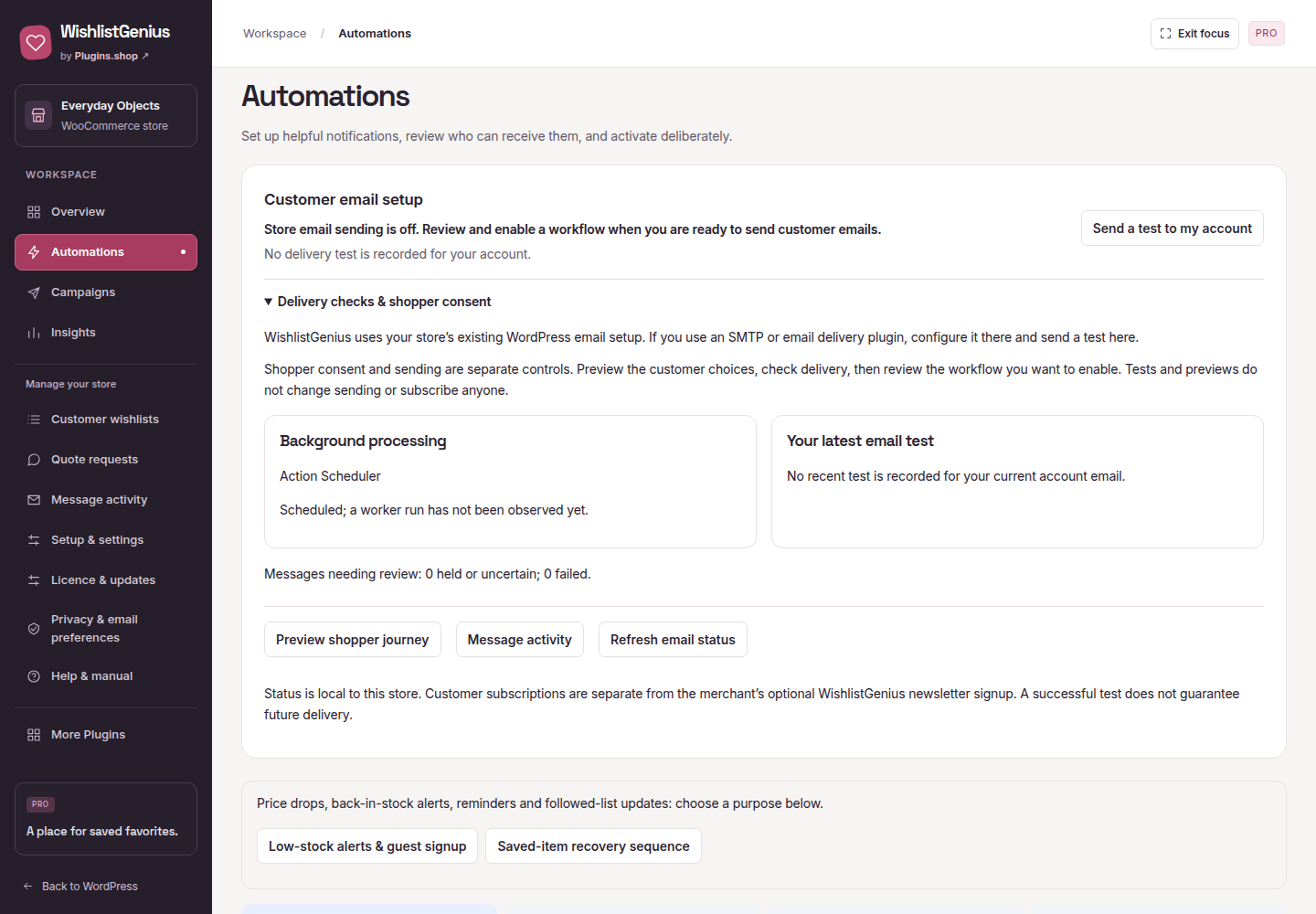
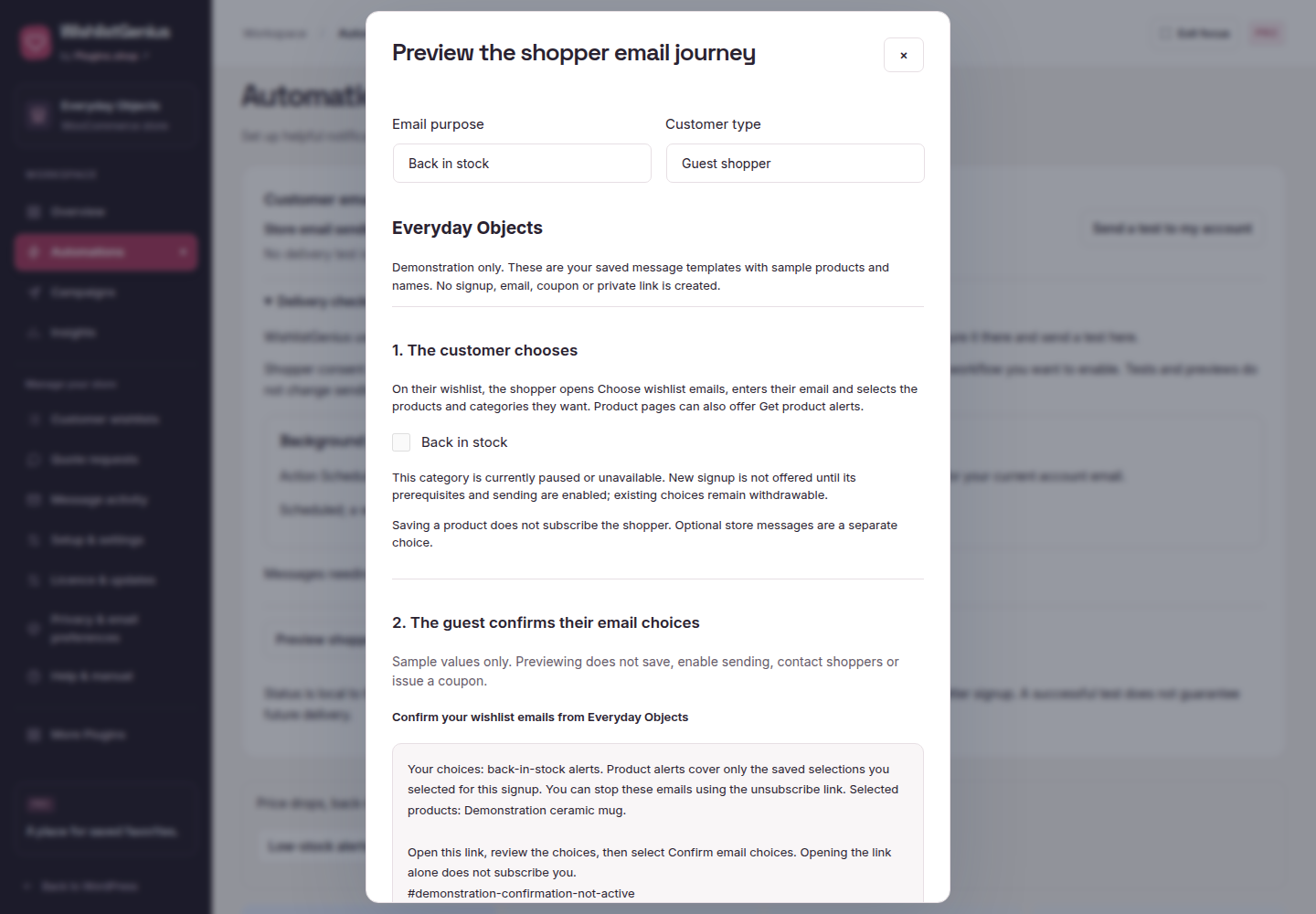
Preview the shopper’s choices, guest confirmation, message and unsubscribe route. Check your store’s email setup, send yourself a test and review the particular workflow you want to enable.

Each customer choice is optional. Turning on a stock alert keeps waiting campaigns paused until you separately review campaign sending. Guests can withdraw individual choices; additions and email changes need a new confirmation.

PRO · STOREFRONT APPEARANCE

A little heart. Right on the product.

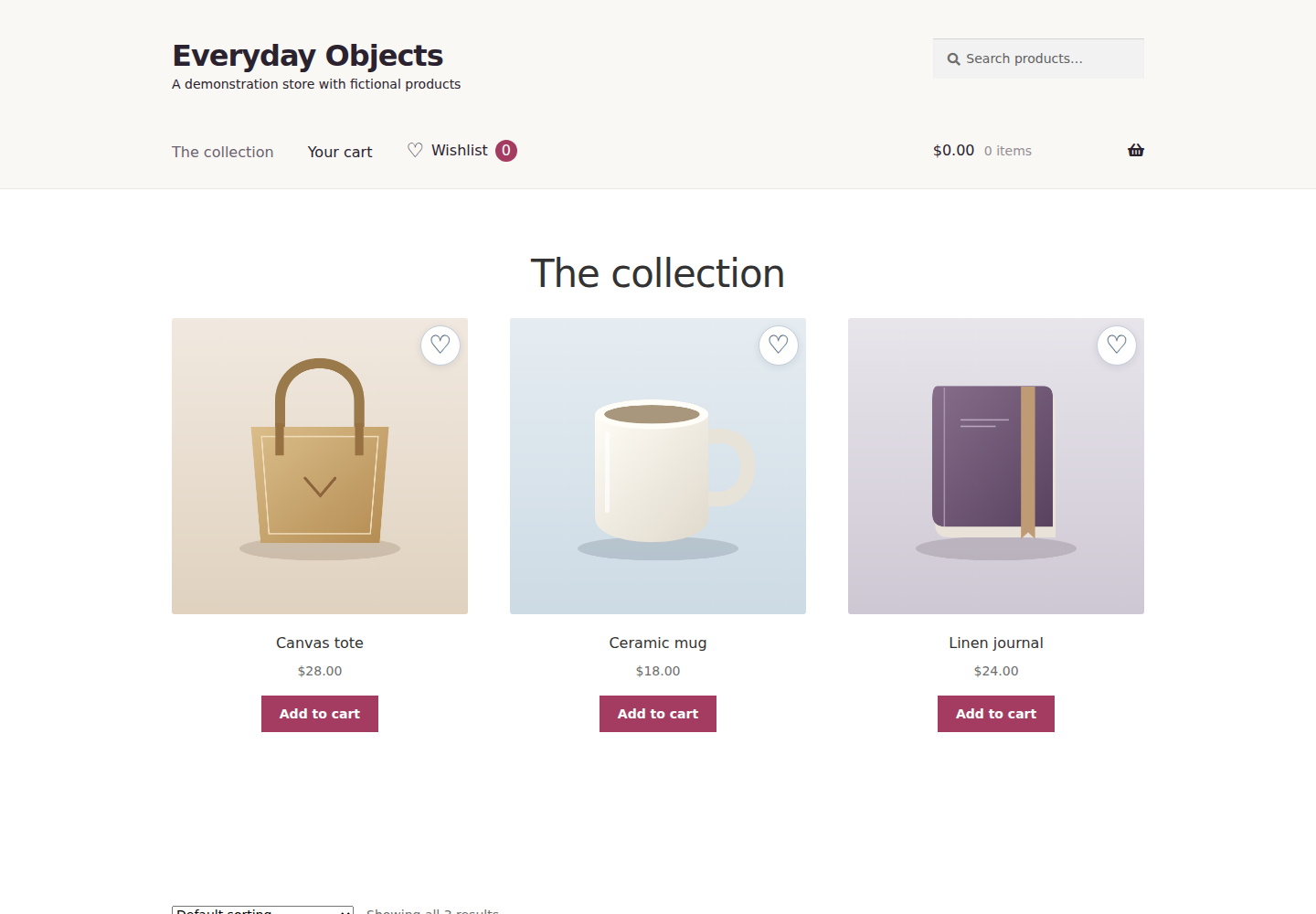
Choose a circular wishlist heart, put it over supported product images, and choose either top corner. An outlined heart becomes filled when the product is saved.

Free keeps its standard button controls and includes a dismissible Pro preview. The working image-heart feature is part of the separate Pro add-on.

Supported layouts and setup →

WishlistGenius Pro 0.5.8 image-heart save buttons on fictional store products
Pro 0.5.8 image-heart save buttons on fictional products in the native Storefront catalog.
Open full screenshot →
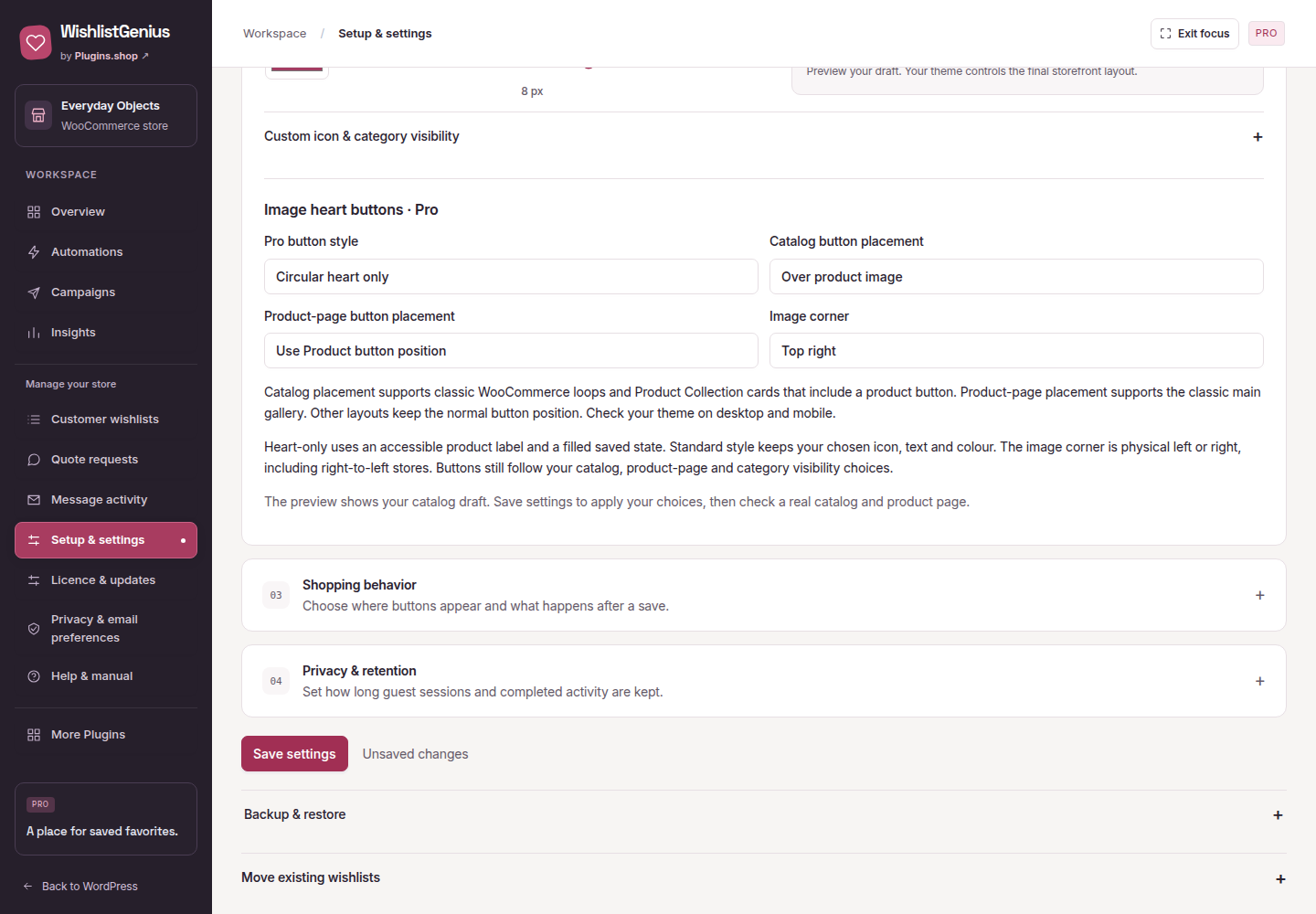
See the actual appearance settings
WishlistGenius Pro 0.5.8 image-heart appearance settings
Pro 0.5.8 native image-heart appearance settings.
Open full screenshot →

Choose around your store

Free is a useful place to stay.

Keep Free for a straightforward wishlist. Add Pro when follow-up, reporting or more involved workflows become useful.

What each edition adds
What you want to doFreeFree + Pro
Heart-only buttons and product-image placementPreview onlyIncluded · choose either top corner
Save and revisit favorite productsGuest & account wishlistsIncluded
Selected variations and private notesIncludedIncluded
Editable wishlist quantities—Included
Share an unlisted list or add individual items to the cartIncludedIncluded
Offer product alerts and optional remindersNot includedWith shopper choices and sending controls
Explore demand and attributed purchases by periodNot includedReports and exports
Organize several lists and use advanced workflowsOne list per guest or accountUp to 50 lists, imports and supported integrations

Pro extends Free; keep both plugins active and their versions matched.

Compare every feature

Your next step

See a fit for your store?

Compare annual plans for your store and choose the site allowance you need. Contact support if you need help with compatibility.

Annual Pro plans are available. After an eligible purchase, use your account to download Pro and manage your subscription.

Compare Pro plans Start with Free

Already use Pro?
Use your account for eligible downloads and updates.