Solo
$49USD / year
1 live site
Renews annually until cancelled; VAT is additional.
WishlistGenius Pro for WooCommerce
Offer requested stock and price alerts, configure wishlist reminders, and understand saved-product demand.
From /year, excluding VATSee annual plans below.
Solo covers one live site. Annual subscriptions renew until cancelled.
Every plan includes all features and a year of downloads, updates and support.
Annual plans · VAT additional
$49USD / year
1 live site
Renews annually until cancelled; VAT is additional.
$99USD / year
3 live sites
Renews annually until cancelled; VAT is additional.
$199USD / year
10 live sites
Renews annually until cancelled; VAT is additional.
$299USD / year
25 live sites
Renews annually until cancelled; VAT is additional.
Each live site includes one explicitly linked staging copy. How site allowances work ↓
Prices exclude VAT. Subscriptions renew annually at the agreed price plus applicable VAT until cancelled.
Live prices could not be refreshed. Reload to check availability.
Enable JavaScript to check current prices and purchasing availability.
After your purchase
After payment is confirmed, new customers get an account-setup email. Choose a password; returning customers can sign in.
Your account holds the Pro installer and licence key. Download matching Free and Pro versions.
Install Free, then Pro and keep both active. Enter your key in Licence & updates to unlock Pro.
Want to start with the wishlist? Download Free — $0, no account needed.
Explore Pro
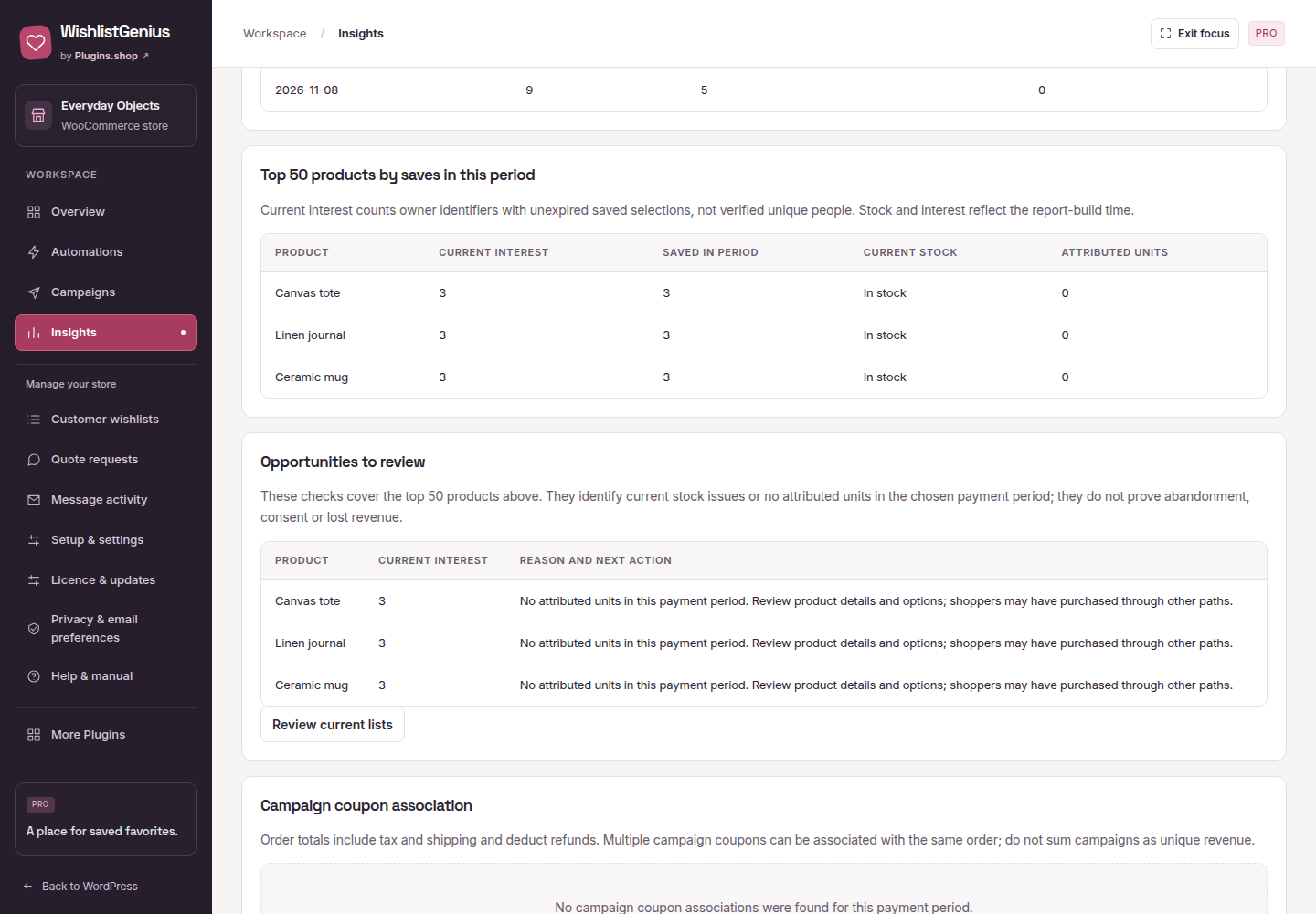
Actual plugin previews with demonstration data. Sending starts off; configure your workflow and respect each shopper’s choices.
Let shoppers opt in to product updates. Preview your message before enabling stock or price alerts.
Also included: configured wishlist reminders, consent-based campaigns, multiple lists, bulk cart tools and supported imports.
Compare Free & Pro →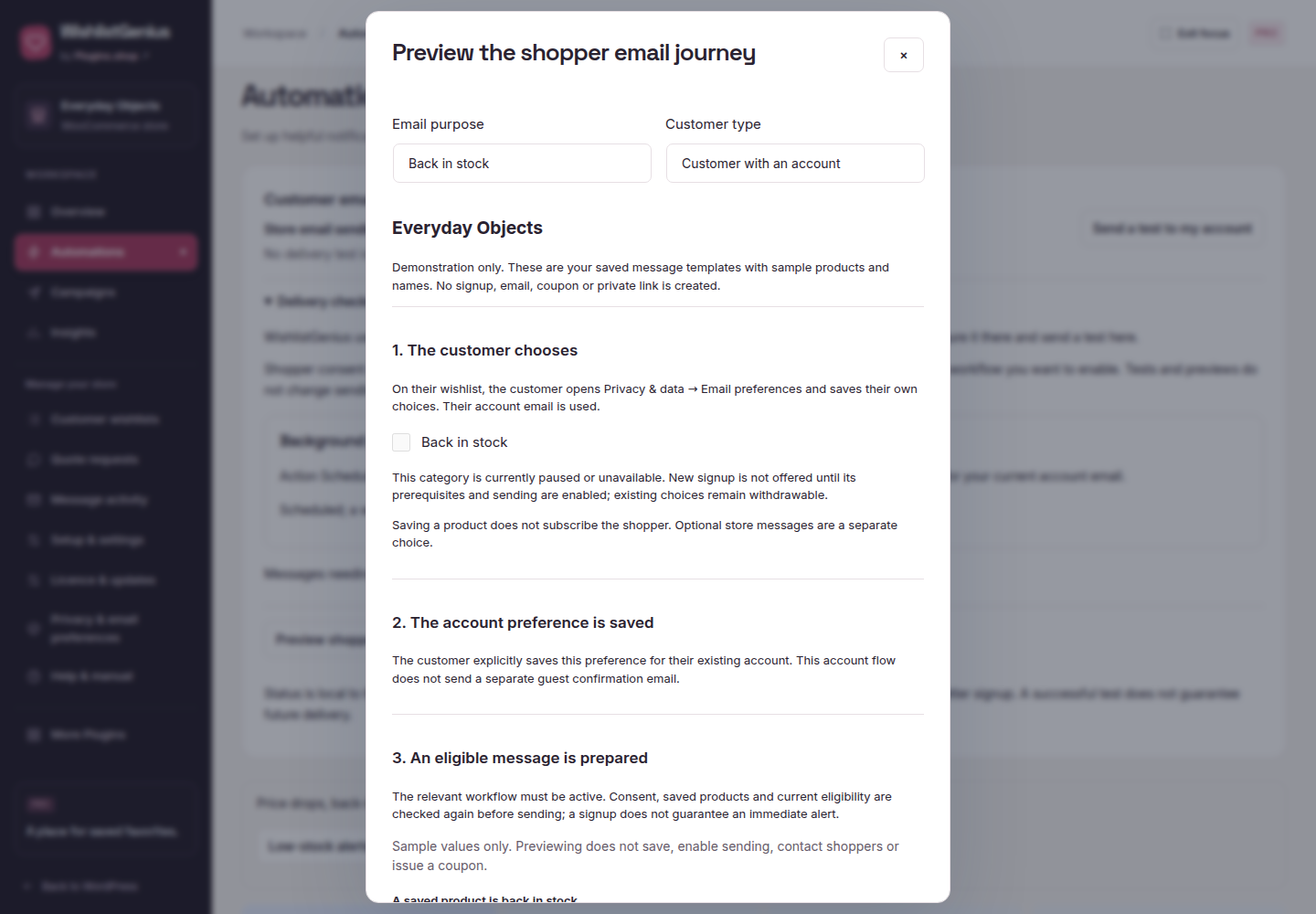
Explore saved-product demand, stock and activity across a chosen date range.
Before you choose
Solo covers 1 production site, Business 3, Agency 10 and Agency Plus 25. All plans include every Pro feature. Each production activation can link one non-production staging copy using a staging proof; it is not an extra live site. WishlistGenius supports single-site WordPress, not multisite. Read the activation and staging guide.
Yes. Cancel through your purchase account or billing portal before renewal. Cancellation stops the next annual charge; downloads, updates and support continue until the paid period ends.
After successful licence activation, installed Pro features keep working for that store through expiry or a licence-service outage. Current access is required for new activations, downloads and updates. Read the activation guide before moving or disconnecting a site.
Eligibility and any refund are reviewed under the purchase terms you accepted and applicable statutory rights. Read the purchase terms or submit a withdrawal notice. Cancelling future renewals is separate from requesting a refund.
Product support is included during your paid period. Contact us with setup or product questions. Hosting, mail and external services are separate. Support excludes managed hosting, custom implementation and guaranteed response times. See the purchase terms.
No. Customer email sending starts off. You configure the features and enable each sending purpose deliberately; recipients must meet the relevant consent and eligibility checks. Messages use WordPress mail through your store’s configured transport. Read the email setup guide.
Need help choosing? Ask us about Pro, or start with Free.