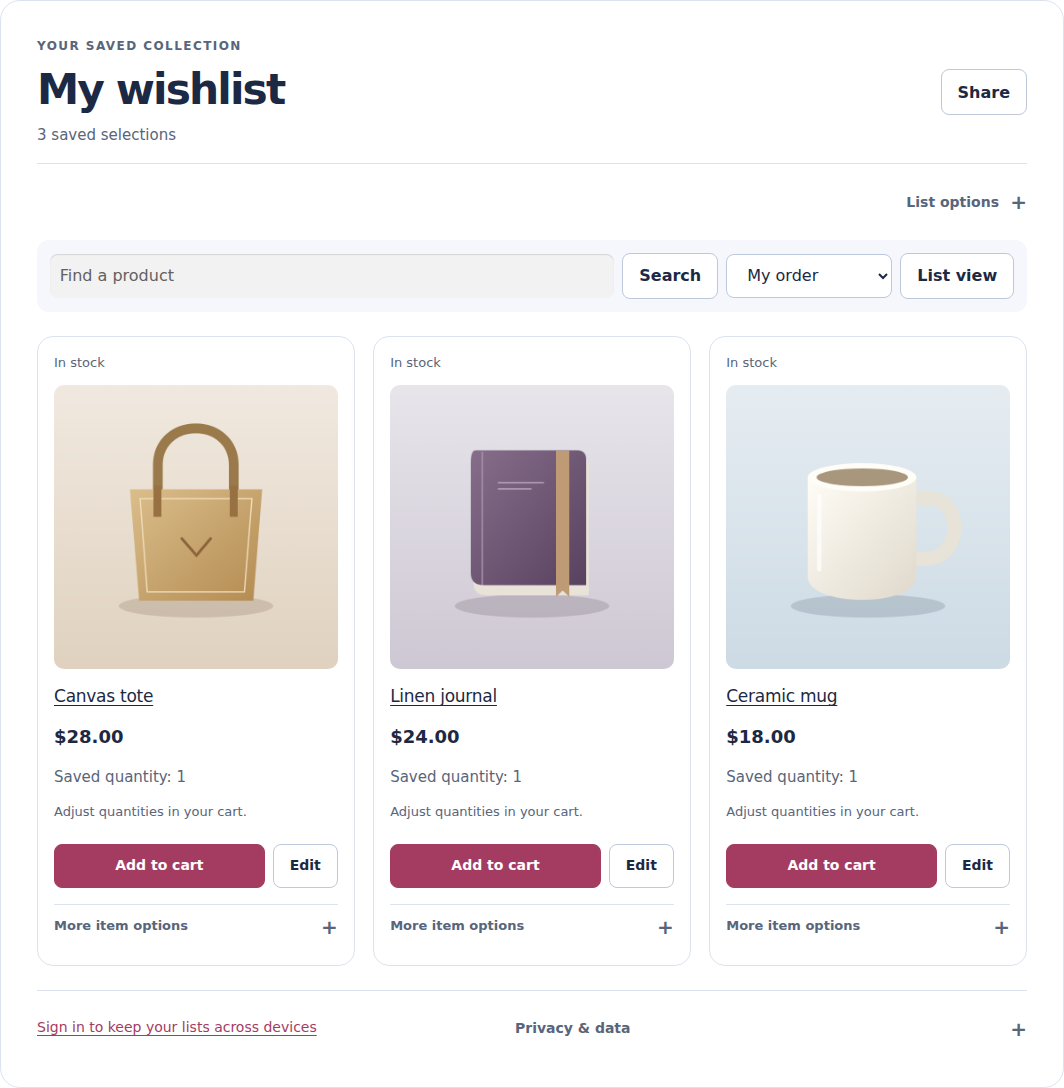
Save and share.
- Save as a guest or use an account.
- Keep variations and notes.
- Share privately; add items to the cart.
WooCommerce wishlist · Free vs Pro
Free covers saving and sharing. Pro adds requested alerts, reminders and saved-product insights.
Pro from US$49/year for 1 live site. VAT is additional. Renews annually until cancelled. See current plans and currencies.
Pro needs Free and an eligible licence. Saving an item never subscribes a shopper to emails.
The full comparison
Open a group to compare. Every Pro plan includes all Pro features; plans differ by site allowance.
| Capability | Free | Free + Pro |
|---|---|---|
| Quick save, saved state and Undo | Included | Included |
| Wishlists per guest or account | 1 | Up to 50 |
| Selections per list | No fixed product-count ceiling | No fixed product-count ceiling |
| Selected variations and private notes | Included | Included |
| Guest lists and account merging | Included | Included |
| Private and revocable unlisted sharing | Included | Included |
| Duplicate lists; move and copy selections | Not included | Included |
| Capability | Free | Free + Pro |
|---|---|---|
| Individual-item add-to-cart | Included | Included |
| Editable wishlist quantities | Not included | Included |
| Selected-item and whole-list add-to-cart | Not included | Included |
| Cart save-for-later | Not included | Included |
| Heart-only buttons and image placement | Preview only | Supported layouts; either top corner |
| Public wishlist directory and discovery | Not included | Optional; enable in settings |
| Public-list following and quote requests | Not included | Included |
Image hearts work with supported layouts and fall back to normal placement. Check layouts and setup.
| Capability | Free | Free + Pro |
|---|---|---|
| Price, stock, reminder and campaign workflows | Not included | Configure and enable each workflow |
| Followed-list updates and queue health | Not included | Included |
| Guest product alerts and low-stock notifications | Not included | Optional; separate consent required |
| Saved-item recovery and optional offer sequence | Not included | Included |
Sending starts off. Campaigns and weekly reminders require opted-in accounts. Guest product alerts and short recovery use separate choices and email confirmation. See consent and email setup.
| Capability | Free | Free + Pro |
|---|---|---|
| Merchant view of products in each wishlist | Pro add-on required | Included (read-only) |
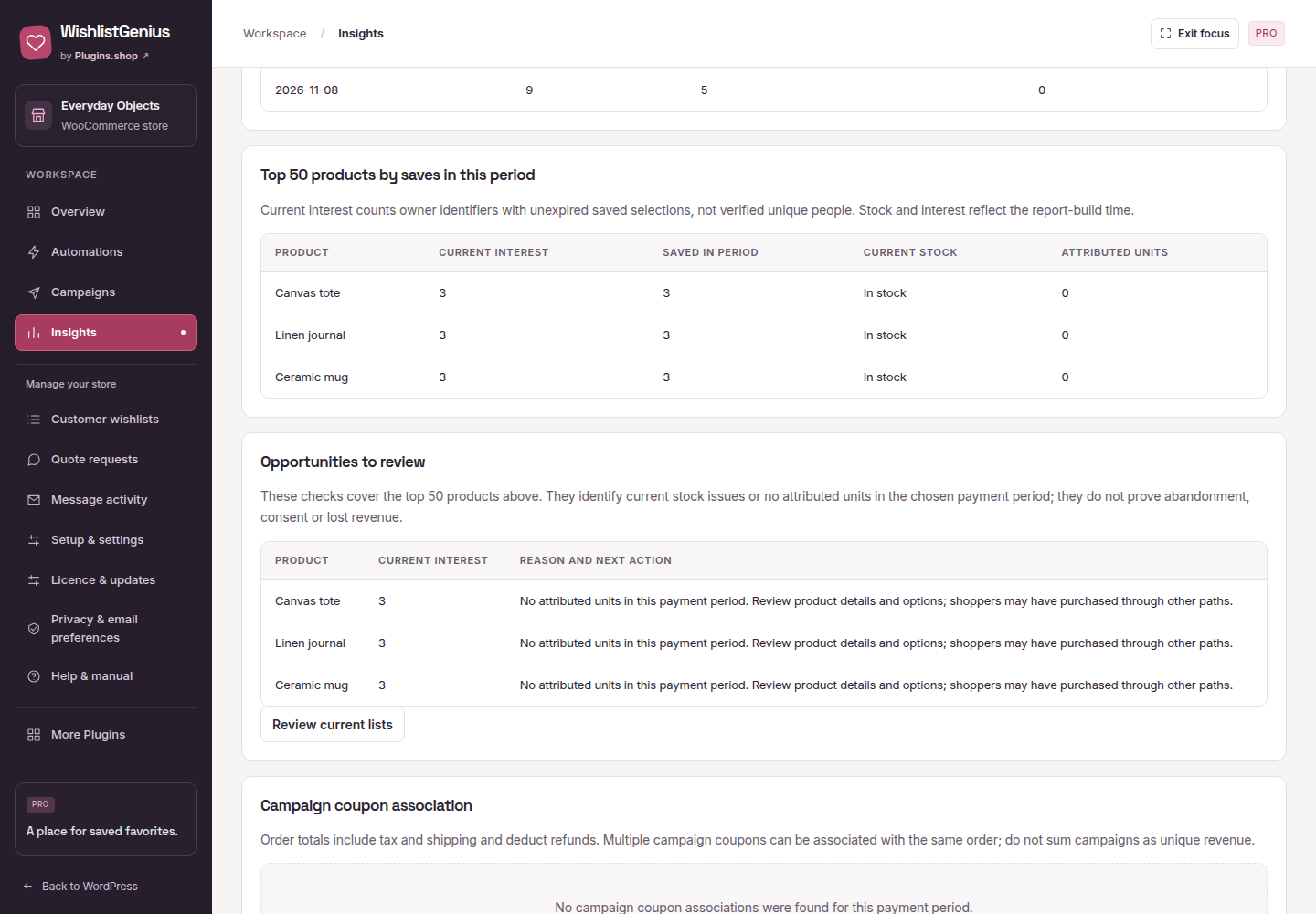
| Wishlist funnel and attributed paid-order reports | Not included | Included |
| YITH / TI / WPC account-list migration | Not included | Preview supported records first |
| Configured-product adapters | Not included | Supported vendor interfaces |
| Product language and currency context | Not included | Optional vendor integration |
| AutomateWoo trigger and signed webhooks | Not included | Optional, reviewed connections |
Reports count wishlist-attributed cart purchases, not every later purchase. How reporting works. Imports preserve source records and consent; check supported imports.
| Capability | Free | Free + Pro |
|---|---|---|
| CSV export and browser print / Save as PDF | Included | Included |
| Setup wizard, searchable selectors and button preview | Included | Included |
| Header and mobile wishlist access with live count | Theme placement setup | Theme placement setup |
| Blocks, shortcode, translation-ready templates and RTL | Included | Included |
| Plugin updates | WordPress.org updates and manual ZIP installation | Eligible downloads and connected Pro updates |
Translation templates included; no reviewed non-English packs. Check compatibility and styling and translations.
Inside the plugin
Real plugin screens. Demo data. Open any screenshot to enlarge.
Show a saved item is back in stock, with a route to the wishlist.
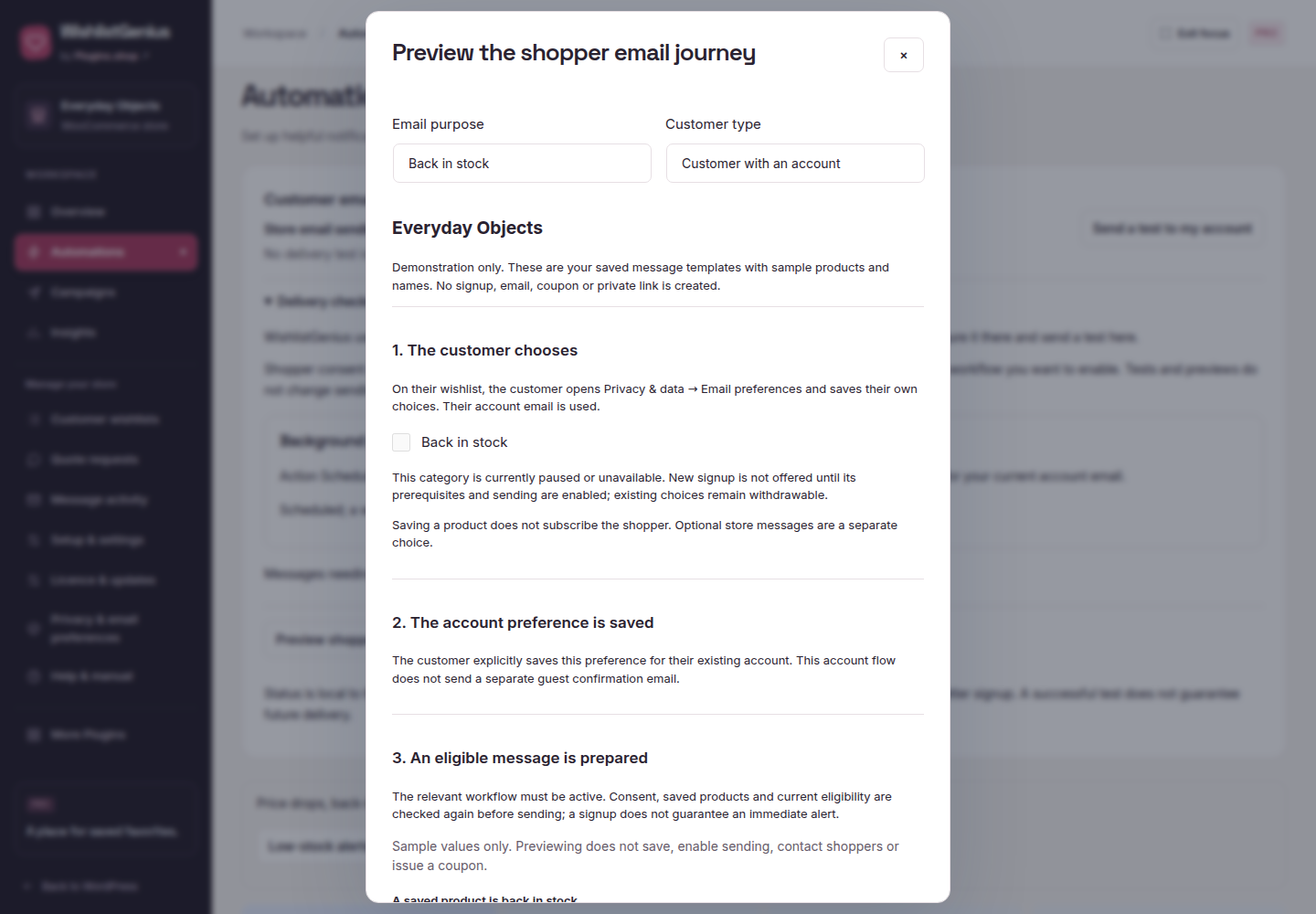
Choose a purpose, review the audience and preview before sending.
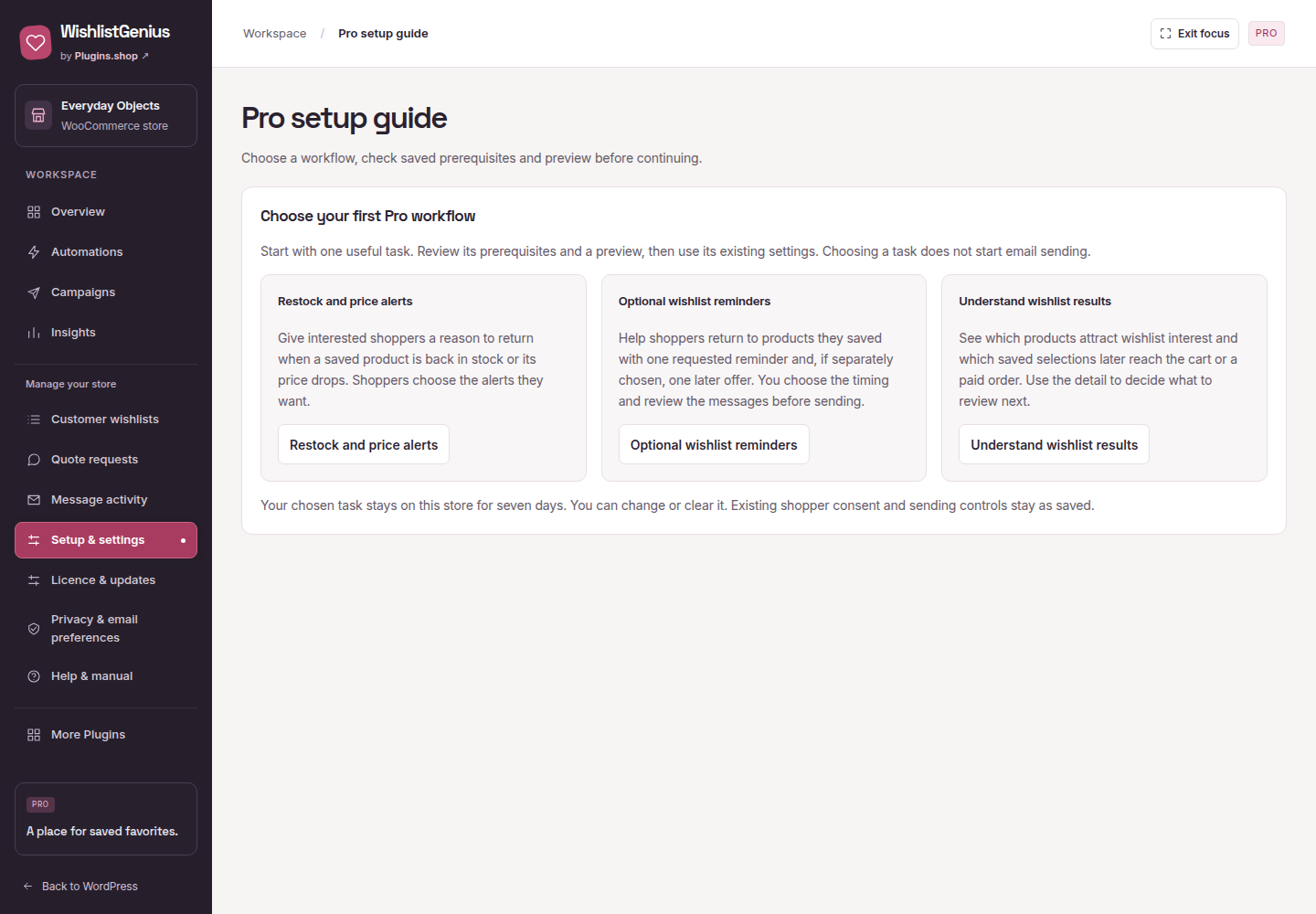
Getting started with Pro
Keep matching Free and Pro active. Enter your eligible key in Licence & updates to unlock Pro.
After activation, installed features keep working through expiry or a service outage. Current access is required for Pro downloads and updates.
Follow the setup guide · Already purchased? Open your account
In Advanced connection settings, Release this site locks Pro and frees its slot after server confirmation. Forget local credentials locks Pro immediately without releasing the slot. Both keep wishlists and settings.
Connection help ↗Free adds an individual saved product to the cart using WooCommerce purchase rules. The separate Pro add-on supplies saved quantities and complete selected-item and whole-list cart operations. Normal WooCommerce cart quantity controls remain available.
Confirm your Pro package supports the Free version before updating. Replace Free first, then Pro, without uninstalling. Older Pro 0.3.x and 0.4.x do not run with Free 0.5.x. Saved lists, notes, quantities and settings remain stored. Unfinished batch operations from 0.3.x or 0.4.x are not replayed; review your cart before starting a new action after the update. Previously activated local Pro features continue after subscription expiry.
Earlier beta companion users should contact support for a compatible upgrade. Test your theme, product options and other extensions on staging before updating a customer store.
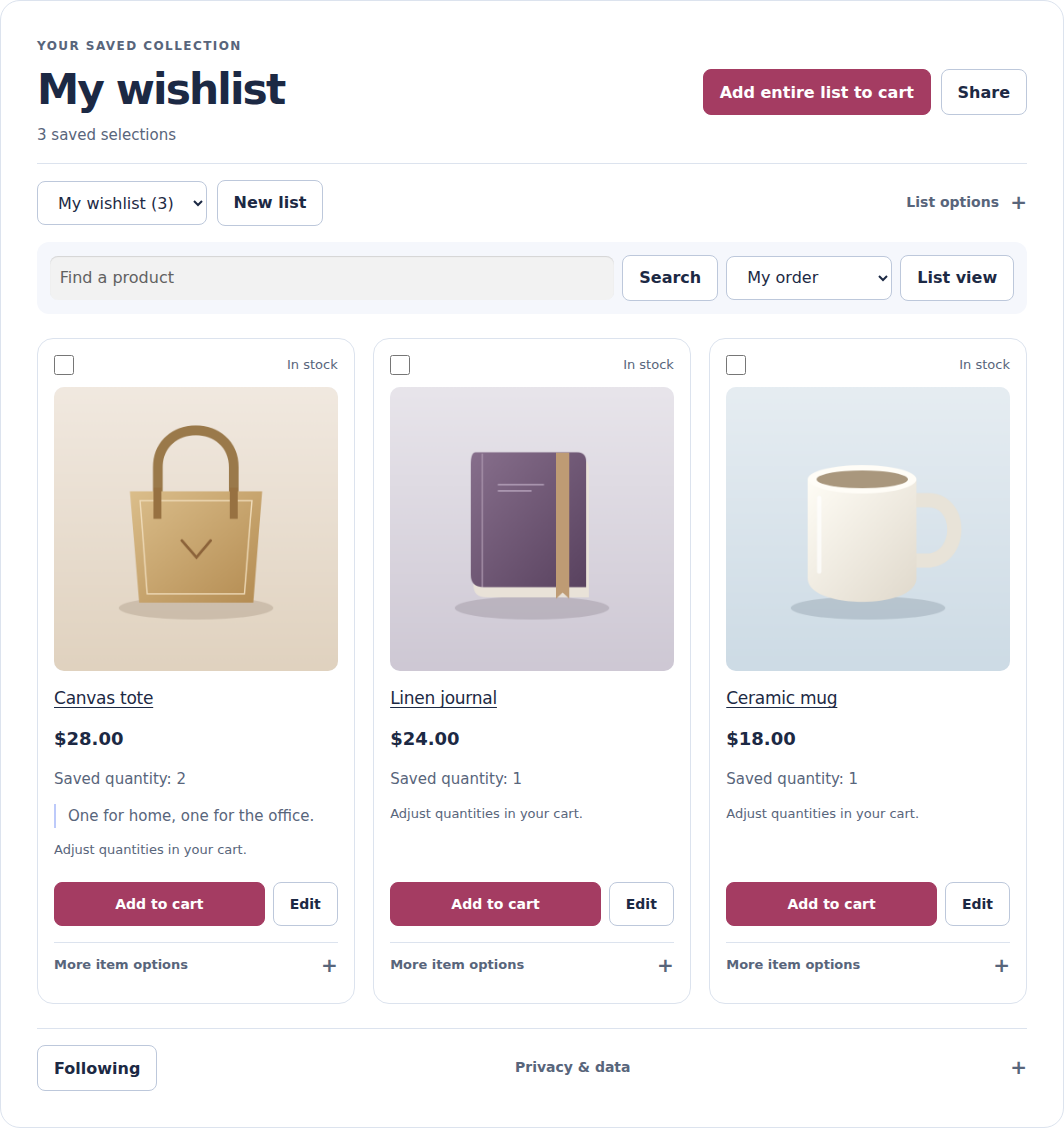
Wishlist saving has no fixed product-count ceiling. Completed cart actions do not consume a daily or lifetime action allowance. Search, CSV exports and printing read the complete list in pages. If a list changes during export preparation, start a new export; an incomplete file is not offered as complete.
Pro prepares selected-item and whole-list cart operations in pages before adding anything, processes bounded chunks and keeps individual results. After a recoverable interruption, use Check progress and continue for that same operation. If the result is uncertain, inspect the WooCommerce cart before starting another operation.
Hosting memory, execution time and storage still apply. Short request-rate limits, simultaneous-work limits and a shared 64 MiB cart-record budget protect the store independently of payment. Cart receipts remain available for one day; new work does not evict unexpired duplicate-protection records. Pro snapshots have a 64 KiB bound per selection.
All working Free tools stay available. Help & manual follows Privacy & email preferences. Use the switch beside Pro previews to show or hide the optional preview links; Explore Pro and More Plugins stay visible. The choice is saved for your WordPress account on this store. Activated Pro keeps its working tools visible in compact groups, with store management, licence controls, Privacy and Help together. More Plugins stays available below a divider; Pro has no preview switch or Explore Pro link.