Pro
Read the reports with confidence
Understand wishlist activity, attributed purchases, refunds, campaign results and revenue by currency.
Screenshots show Free and Pro 0.5.8 with fictional data. Check current release availability before installing or updating.
Build a complete report
Choose Build an insights report from Overview, or open Insights, then choose a UTC date range of up to 366 days, and select Build report. The report fixes its eligible order IDs when you start, then reads them in batches of 100. Each batch uses the status, payment date and refunds available when it is read; this is not a single-time accounting snapshot. Deleted or no-longer-eligible unread orders are counted as skipped. Build a new report to include newly eligible orders or changes to orders already read. You can resume an interrupted request within the report’s 30-minute lifetime. A report supports up to 100,000 eligible orders and 100,000 saved selections; use a narrower date range if the stated storage or size limit is reached. Export CSV or download the full report JSON once processing is complete.
Save → cart → purchase
The funnel counts distinct selections first saved in the chosen period, then added to cart or purchased by the period end. The funnel uses recorded item-level activity. Saves from older releases may lack this complete activity history. Activity retention also limits historical funnel coverage.
A selection purchased on multiple order lines is counted once in the funnel. The funnel is not a count of verified unique people or a list of shoppers who can receive email. Current interest, saves in the selected period and attributed paid units cover different scopes; do not divide these columns to infer a conversion rate.
Revenue and refunds
Revenue uses explicit wishlist attribution on WooCommerce paid product lines in the selected payment period. Product-line refunds are deducted. Tax and shipping are excluded. Amounts in different currencies are reported separately.
Unallocated order refunds are shown separately because there is no reliable product allocation. Fully refunded orders remain part of refund accounting when WooCommerce retains their payment date.
Demand and opportunities
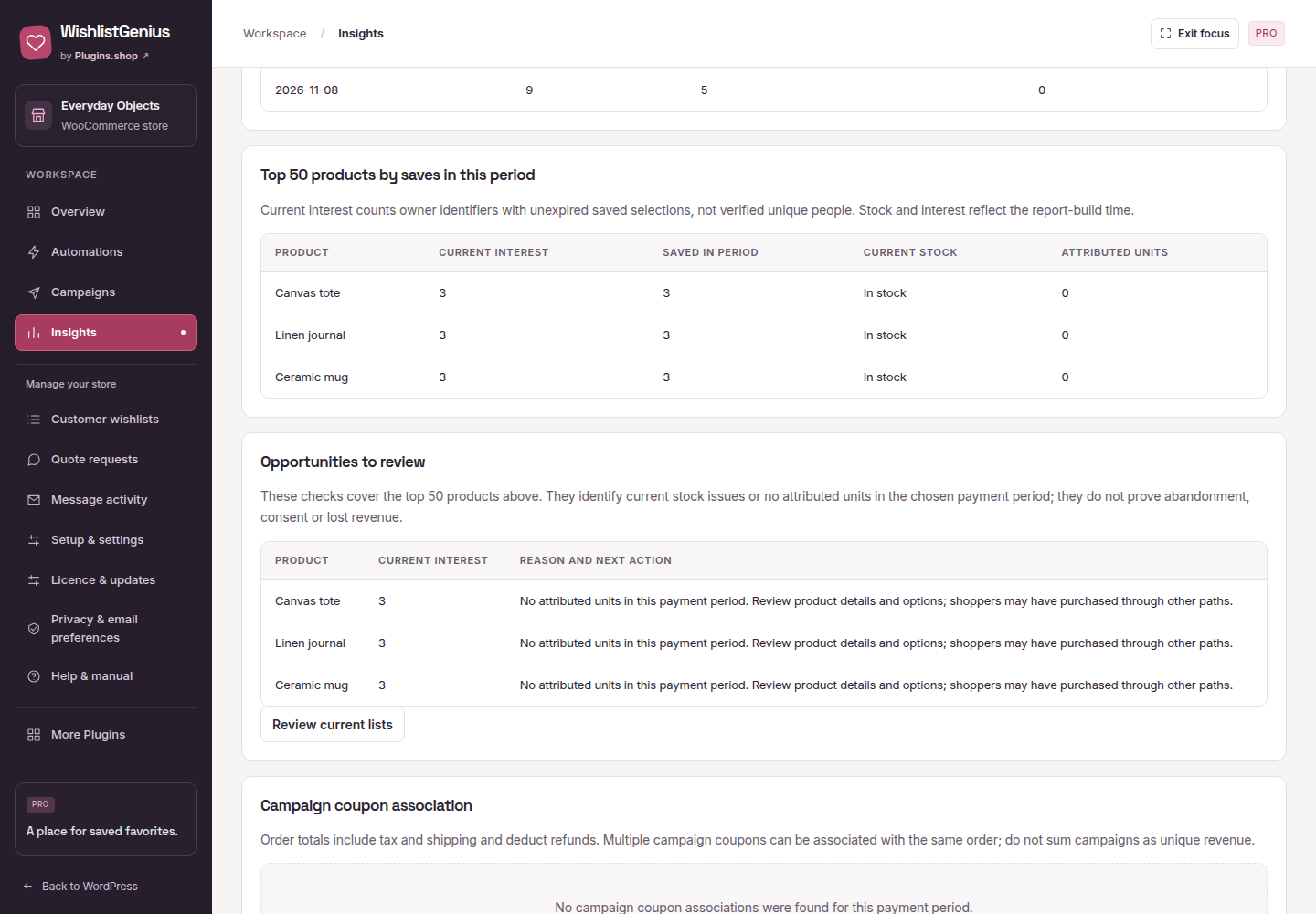
The report shows the top 50 product selections by saves in the period, alongside current interest, stock status, and attributed units. Opportunity prompts highlight interested shoppers where stock is unavailable or no attributed units appear in the selected window. Treat these as review prompts, not proof that a discount will create sales.
Campaign association
Orders using a generated campaign coupon are associated with its campaign reference. Their net order totals include tax and shipping and deduct refunds. Multiple campaign coupons may be associated with the same order. Association does not prove incremental revenue or replace a controlled experiment.