Shopper experience
Saving, lists, and private sharing
Understand quick save, Undo, product options, guest sessions, notes, and revocable links.
Screenshots show Free and Pro 0.5.8 with fictional data. Check current release availability before installing or updating.
Wishlist controls on a phone
Open Search, sort & view above your saved products to change search, sorting or layout. The controls start compact on narrow screens and can be expanded whenever needed.
One click when there is one list
Since 0.3.42, save buttons show a loading state until their actions are ready. Wait for the normal save label before using them; Pro list selection waits for its controls too.
With quick save enabled, a shopper with one list saves directly from the catalog or product page. The confirmation offers Undo for a newly saved item. Saving the same selection again does not create a duplicate. Undo will refuse to delete an item that has changed since it was saved.
Shoppers with multiple lists choose a destination. Free supports one list; Pro supports up to 50. Lists have no fixed saved-product count ceiling; hosting resources still affect large operations.
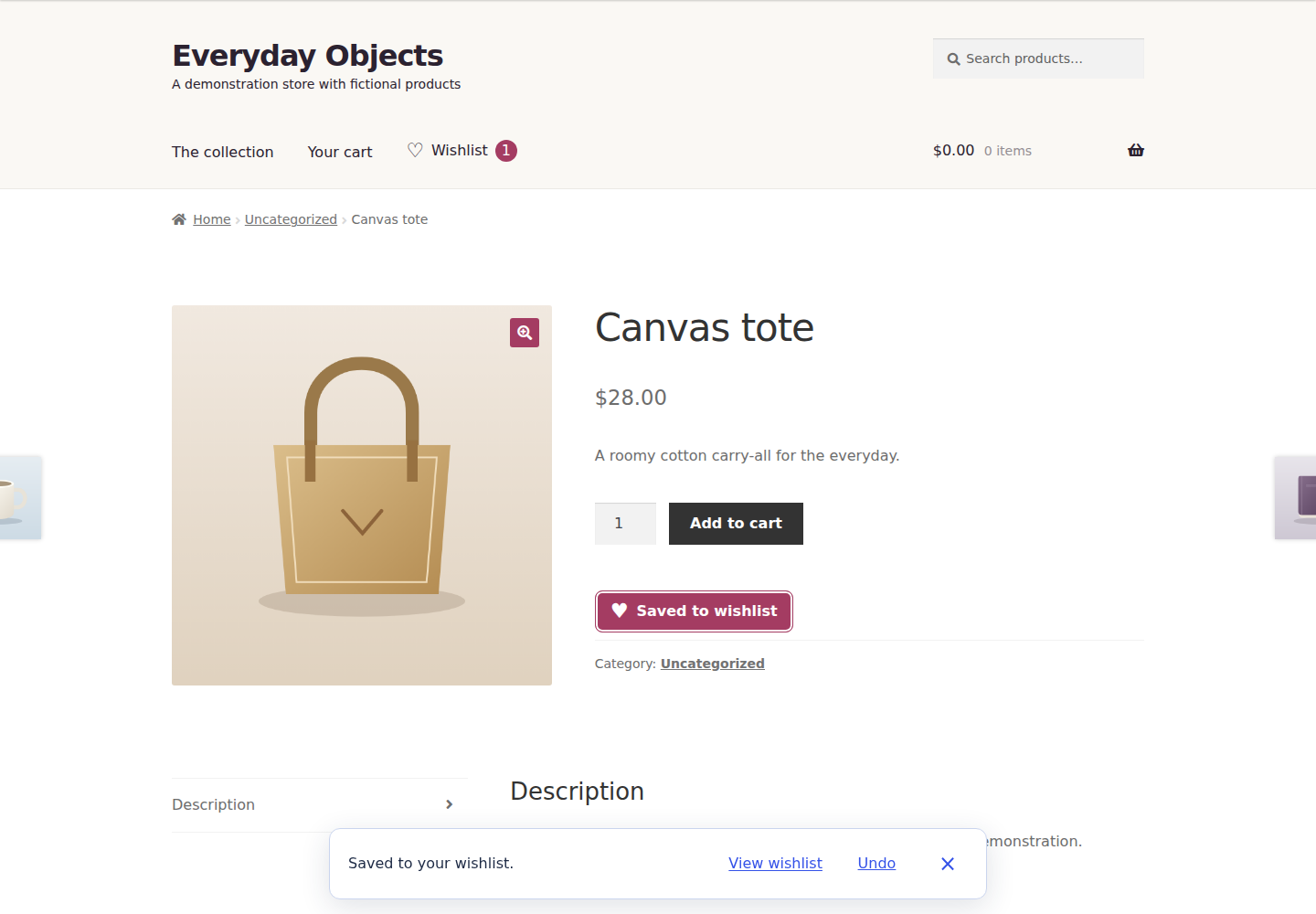
Keep the selection
Free saves selected product variations and private notes in one guest/account wishlist. Pro adds editable wishlist quantities and selected-item or whole-list add-to-cart. A variable product can be saved for later before its options are chosen. To save a specific variation, supply its required choices; the plugin does not guess an “Any” variation. Required options must be selected before adding to cart, and WooCommerce cart validation still applies. Unsupported custom product add-ons need a dedicated integration.
After adding to the cart, the result reports how many saved selections were added. It shows a failure count only for selections that could not be added. Review any item-specific issue and check your cart before retrying an uncertain result.
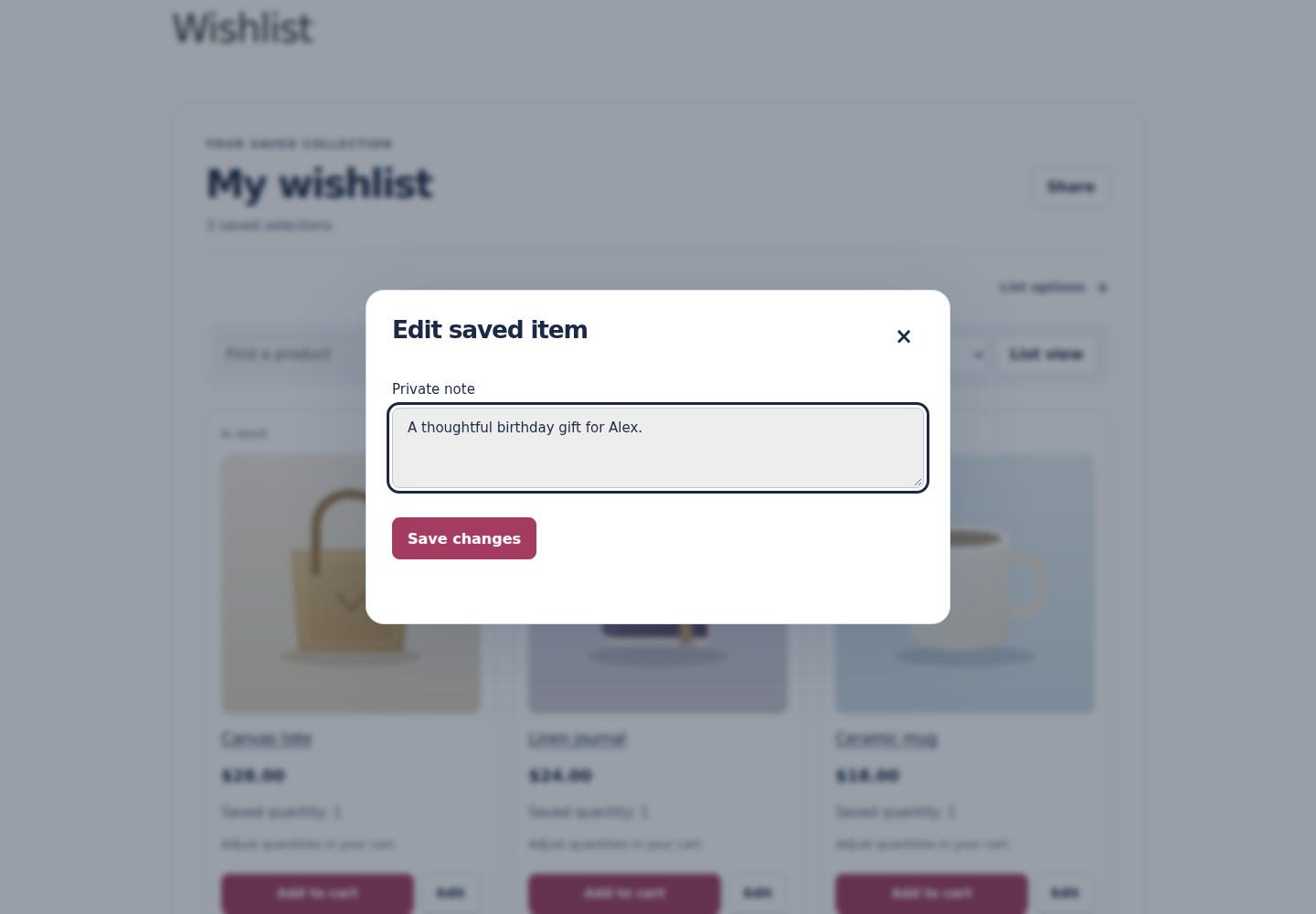
Guests and accounts
Guests can begin without an account. A signed browser cookie reconnects them to their wishlist; its default lifetime is 30 days, configurable from 1 to 365 days. Shortening guest retention also caps existing guest expiry from the time the setting is saved; access stops at the earlier deadline even if the cookie lasts longer. Cron removes expired guest records. Account lists persist across devices. When guest and account selections have conflicting quantities or notes, both are retained for review rather than silently overwritten.
Choose who can see a list
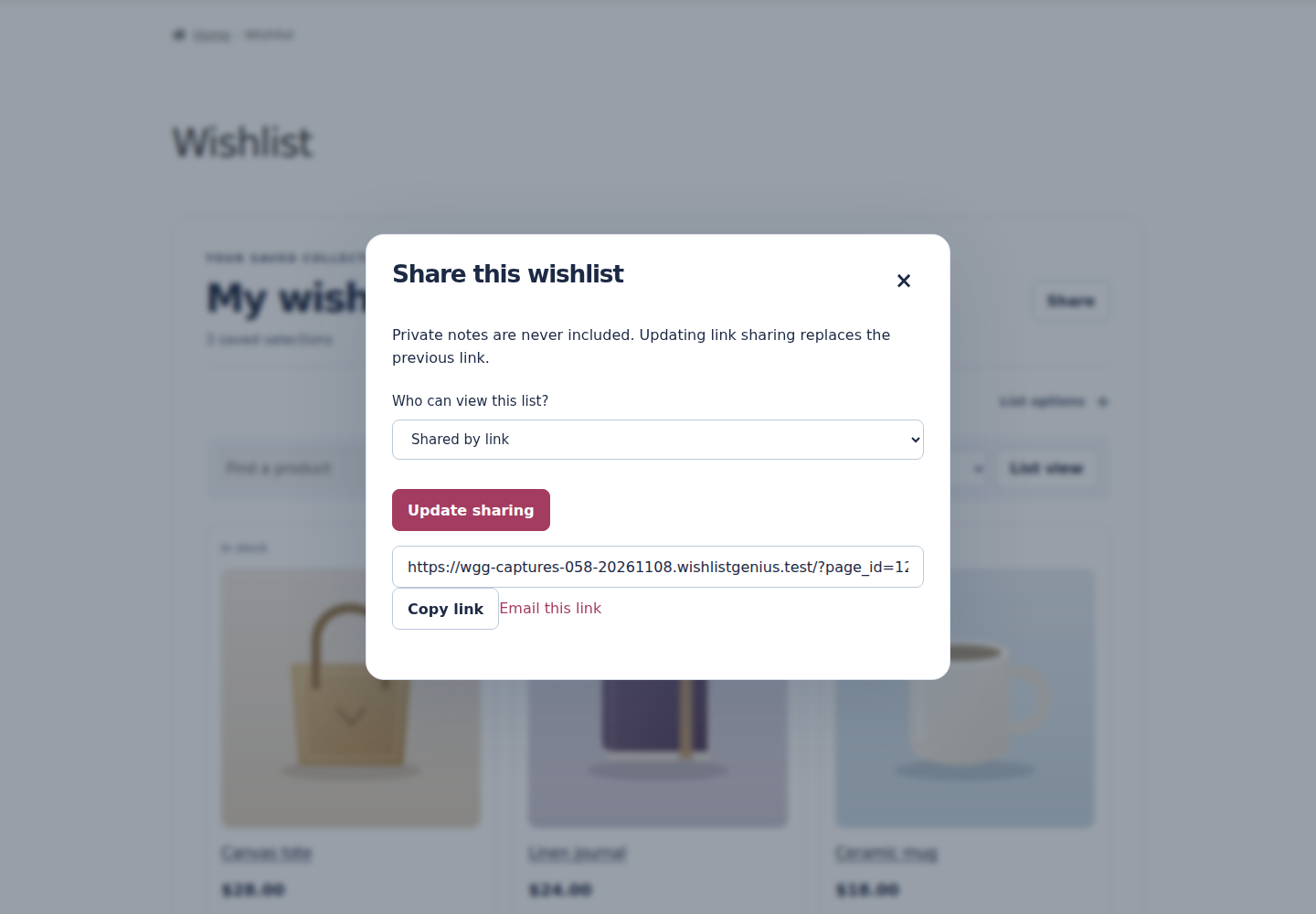
Lists start private. Unlisted sharing creates a secret, revocable link. Updating sharing invalidates the previous secret link. Public lists appear only if the merchant enables the public directory and the shopper publishes the list.
Open Share, choose Shared by link, then select Update sharing. Use Copy link after the new link appears. Choosing a sharing option alone does not publish a link. To revoke access, choose Private and select Update sharing; previous links stop working. Updating link sharing again replaces the old secret link.
Shared views exclude private notes and account details. Anyone holding an unlisted link can open that shared view; share it intentionally. Under List options, Export CSV and Print / save PDF can include private notes. The latter opens the browser’s print view, where the shopper can choose a printer or save a PDF.
Cart save-for-later and discovery
Pro includes cart save-for-later and public wishlist discovery. Free keeps a personal wishlist, direct sharing and wishlist-to-cart actions. Public discovery requires the merchant to enable it and the shopper to make a list public.
Configured products
Pro provides adapters for standard Product Add-Ons choices without uploads, complete Product Bundles and Composite Products parents, ordinary new simple or selected-variable Subscriptions, and standard Bookings date/time/resource/person/duration fields. The relevant vendor APIs must be installed. Prices and availability are rechecked in the cart; saving a booking does not reserve it.
Uploads, arbitrary metadata, renewal/switch/resubscribe operations and custom configurator input schemas are excluded. Cart save-for-later retains extra configuration only when the integration captured and signed it; otherwise it keeps the cart item and asks the shopper to reconfigure. Confirm your exact paid extensions on staging before use.
Manage lists and request a quote with Pro
With Pro activated, use New list and the Your wishlists selector to organize collections. List options includes Duplicate and Make default. When there is another list, use an item’s Move or Copy control to choose its destination. Review conflicts instead of repeatedly retrying a stale item.
A signed-in shopper can open List options → Request a quote, write a request and choose Send request. The confirmation explains that this deliberately shares the shopper’s account name, email, list items, quantities and private notes with the store. Review those details first. The store reads and manages the submission in Quote requests; it is a request in the store’s inbox, not an order or payment.
In Quote requests, choose a status and save it before exporting. After a successful save, Export CSV includes that current status without requiring a page reload. If the save fails, the last saved status remains in the export; retry the save before exporting again.
Download or erase wishlist data
Open Privacy & data on the wishlist. Download my data exports the shopper’s wishlist data as JSON. Erase my wishlist data opens a confirmation; Erase all removes their lists, saved selections, notification preferences and WishlistGenius coupons. Store orders are managed separately. These privacy operations also cover retained Pro data when the add-on is inactive or removed. Failed personal-data erasure remains incomplete and reports an error so the store owner can resolve the cause and retry; do not treat a failed request as completed.